
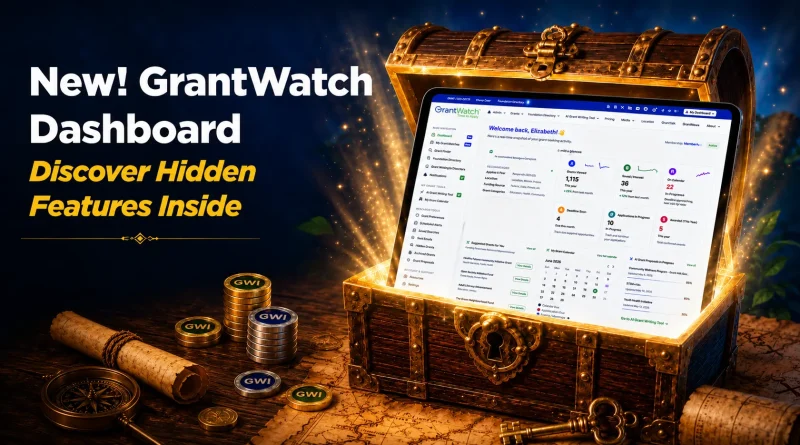
NEW! GrantWatch Dashboard – Discover Hidden Features Inside
GrantWatch introduces a redesigned Dashboard that brings your entire grant search into one connected space. Instead of jumping between searches, saved lists, calendars, and tools, everything you need now appears in a single, real-time view.
The goal is simple: help you understand what’s happening in your grant activity at a glance, and make it easier to act on opportunities when they matter most.
Instead of jumping between pages, users can now view everything from saved grants to AI recommendations, deadlines, and application progress in a single, easy-to-use dashboard.
The GrantWatch Dashboard is designed to bring all your grant activity into one place so you can easily track opportunities, manage applications, and stay organized. Once you log in, the dashboard becomes your central hub for everything related to your grant search.
How to Use Your GrantWatch Dashboard
Below is a simple guide to what each section does and how to use it.
1. Start with Your Grant Preferences
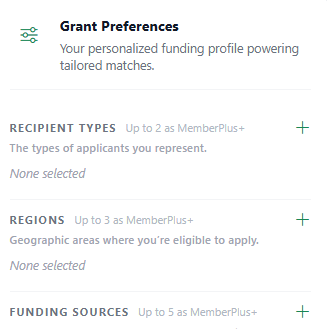
Your Grant Preferences help shape the opportunities you see.
In this section, you can update:
- Your applicant type (nonprofit, small business, individual, municipality, etc.)
- Your eligible locations
- The types of funding sources you want to see (federal, state, local, corporate, foundation)
- The grant categories that match your mission or goals
Keeping this section updated ensures the system can match you with more relevant grants.
2. View Suggested Grants
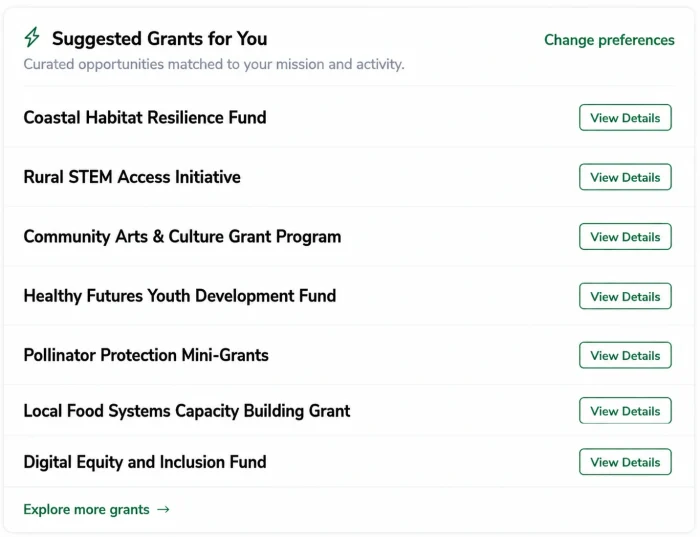
Once your preferences are set, the dashboard automatically displays suggested grants for you.
These are AI-matched opportunities based on your profile and activity. You can review them, save the ones you’re interested in, and revisit them later through your pipeline or saved list.
3. Check Your Activity Overview
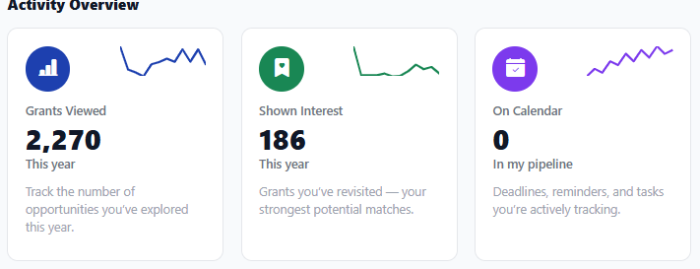
The Activity Overview gives you a quick summary of your grant-seeking progress.
Here you can see:
- Grants you’ve viewed or explored
- Grants you’ve saved or revisited
- Deadlines you are currently tracking
- Applications in progress
- Grants that have been awarded
This section helps you stay aware of what stage you’re at with each opportunity.
4. Use the Grant Calendar
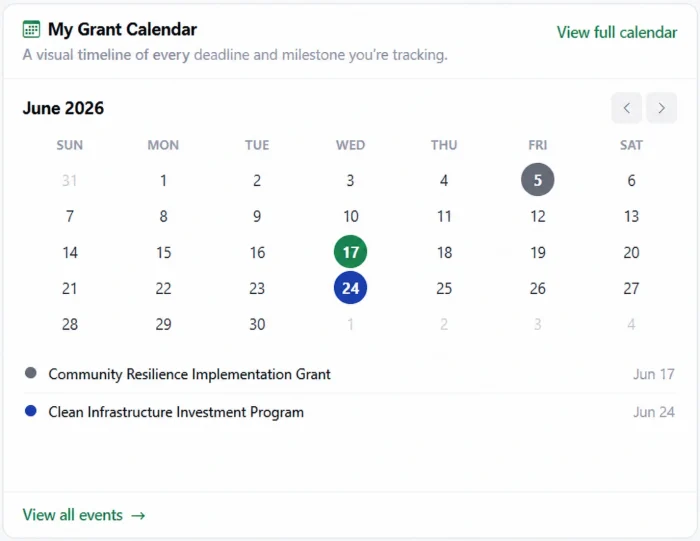
The Grant Calendar helps you manage deadlines visually.
You can:
- View upcoming deadlines by month
- Track submission timelines
- Open full calendar view for detailed planning
This section is especially useful for staying on top of multiple applications at once.
5. Track AI Grant Proposals in Progress
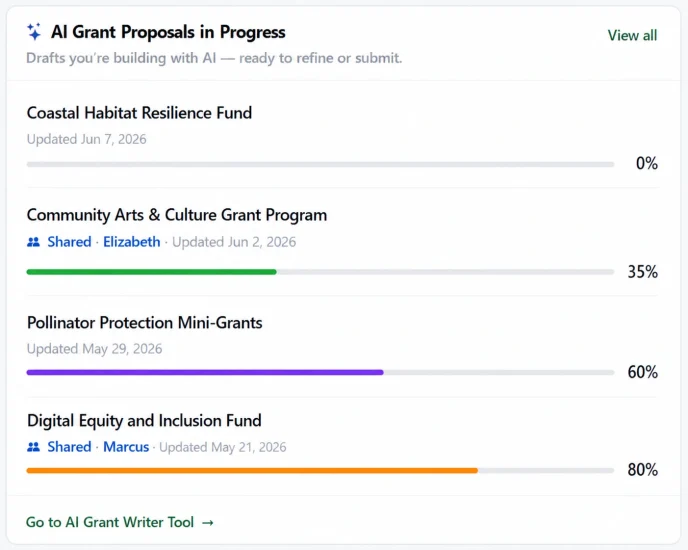
If you are using the AI Grant Writing Tool, your drafts will appear here.
You can use this section to:
- Continue working on proposals
- Edit or refine existing drafts
- Prepare applications for submission
It keeps all your AI-generated proposals in one place so nothing gets lost.
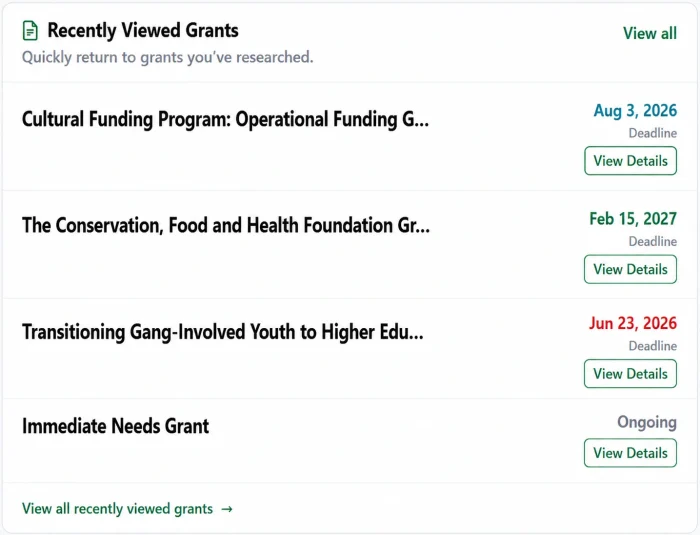
6. Review Recently Viewed Items
This section helps you quickly return to anything you were recently exploring.
It includes:
- Grants you have viewed
- Foundations you have researched (including funding history and 990s)
- Organizations that have received funding
It’s useful when you want to go back to something without starting a new search.
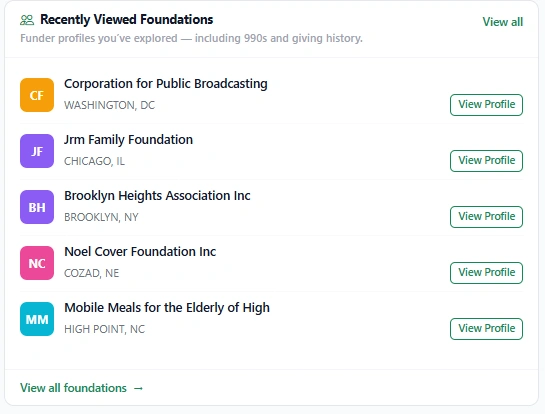
7. Check Recently Viewed Foundations
Here you can revisit funders you’ve recently explored in the Foundation Directory.
Each profile may include key information such as:
- 990 filings
- Funding history
- Giving priorities and patterns
This helps you compare and evaluate potential funders more easily.
8. Review Recently Viewed Grant Recipients
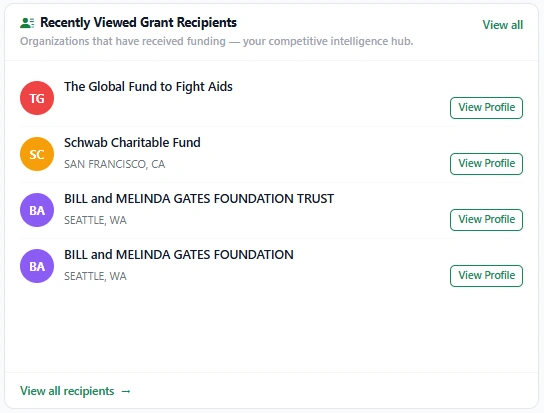
This section shows organizations you’ve recently looked at in the Grant Recipient Directory.
It helps you:
- Revisit funded nonprofits or organizations
- Understand who is receiving grants
- Research funding trends and outcomes
9. Monitor Missed Opportunities
This section highlights grants in your Pipeline that have passed their deadlines.
You can:
- Review expired opportunities
- Decide whether to re-search similar grants
- Manage or clean up your saved pipeline
It helps you stay organized and avoid losing track of older opportunities.
10. Use the Navigation Menu in the Dashboard
The Navigation Menu in the Dashboard gives you quick access to all major tools in GrantWatch:
My Grant Pipeline: Track, organize, and manage grant life cycles in one place.
Grant Finder: Search for grants using filters such as location, applicant type, category, funding source, deadlines, keywords, or AI search.
Foundation Directory: View detailed funder profiles, including 990s, funding priorities, and grant history.
Grant Recipient Research: Explore organizations that have received funding and identify their grantmakers.
Notifications: Stay updated on alerts, system messages, and collaborator activity.
AI Grant Writing Tool: Create and improve grant proposals using AI assistance.
My Grant Calendar: Manage deadlines and track important dates.
Grant Preferences: Update your preferences to improve grant matching and recommendations.
Scheduled Alerts: Receive notifications when funders update or change grant listings.
Saved Searches: Return to previous searches and continue exploring updated results.
Grant Views: Access your browsing history to revisit grants you’ve already seen.
Hidden Grants: View grants you’ve hidden from your search results.
Archived Grants: See grants removed from your pipeline after deadlines have passed.
Resource Center: Access guides and support for nonprofits.
Settings: Manage your account details, password, and subscription.
Help Center: Get support and assistance when needed.
Grant Proposals: Access and manage AI-generated draft proposals.
Member ID: View your Member ID for collaboration with other users.
How the GrantWatch Dashboard Can Help Grant Seekers
The GrantWatch Dashboard brings together all your grant tools in one place, making it easier to stay organized, track deadlines, and find funding opportunities faster – whether you’re new to grant seeking or highly experienced.
The GrantWatch Dashboard is designed to remove the complexity from grant seeking and, instead, turn it into a clear, structured, and manageable workflow. Rather than juggling spreadsheets, bookmarks, and scattered notes, users now have one centralized place where everything important is visible – from new opportunities and deadlines to saved grants and application progress.
As a result, users spend less time searching and more time applying. By organizing your activity, preferences, and funding matches in one place, the dashboard helps you focus on the grants that are most relevant to your goals. In addition, AI suggestions and activity insights surface opportunities you might otherwise miss, thereby improving both efficiency and reach.
From a user perspective, the experience is intentionally simple. Whether you are reviewing recently viewed grants, checking your calendar, or continuing a draft proposal, everything is accessible in just a few clicks. Furthermore, the layout is designed to reduce confusion and keep your grant strategy moving forward without unnecessary friction.
Ultimately, the expected outcome is a more organized and effective grant-seeking process. Users can stay on top of deadlines, respond more quickly to opportunities, and build stronger applications with better visibility into their workflow. Over time, this leads to improved consistency, fewer missed opportunities, and a clearer path from discovery to submission.
In short, the GrantWatch Dashboard brings all your grant tools together in one place, making it easier to stay organized, track deadlines, and find funding opportunities faster – whether you’re new to grant seeking or highly experienced!
About GrantWatch
Since 2010, GrantWatch has been a trusted grant management resource for grants for nonprofits, grants for small businesses, grants for schools, grants for government agencies, and grants for individuals. Discover grant funding opportunities and easily navigate the grant process. Thousands of organizations rely on this extensive grant database of human-verified grant funding resources to identify grant opportunities and secure support for meaningful projects.
Today, GrantWatch is the Full Grant Lifecycle Platform with GrantWatch Intelligence™, featuring a grant Dashboard and a 12-stage Grant Pipeline that spans everything from grant prospecting through post-award reporting. Alongside access to more than 11,000 active, human-curated, human-verified grant opportunities, the centralized Dashboard functions as the command center for the GrantWatch Full Grant Lifecycle Platform, giving users a unified view of opportunities, deadlines, research activity, and workflow progress across every stage of the 12-stage Grant Pipeline. Users also benefit from integrated tools including the AI Grant Finder, AI Grant Writing Tool, My Grant Calendar, Grant Alerts, Foundation Search, and Awarded Grant Search, moving funding efforts from discovery to award and measurable impact.
GrantWatch founder Libby Hikind is also the author of The Queen of Grants series, including The Queen of Grants series: The Queen of Grants: From Teacher to Grant Writer to CEO and The Queen of Grants 2: GrantTalk Secrets for the New Era of Writing.