
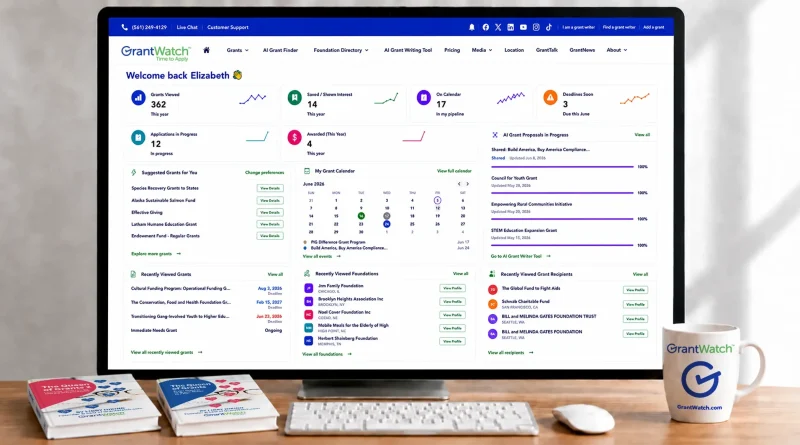
The New 2026 GrantWatch Dashboard Delivers Faster Discovery, Better Data, and Zero Missed Deadlines
The 2026 funding landscape is moving faster than ever and missing a single deadline can cost your organization months of momentum. Whether you’re a nonprofit sustaining community lifelines, a small business driving innovation, or a researcher advancing critical breakthroughs, finding the right grant shouldn’t feel impossible. Today, GrantWatch is removing the guesswork with the launch of our all new 2026 Dashboard engineered for faster discovery, hyper-personalized data, and foolproof deadline tracking so you never miss an open window again.
Why the New Dashboard Matters in 2026
Grant competition is rising, funders are shifting priorities faster than ever, and organizations need a reliable way to stay ahead. The new GrantWatch Dashboard delivers:
- Verified real‑time data
- Faster, smarter discovery
- Personalized recommendations
- Deadline awareness
- Funder intelligence
- A single source of truth
It’s the thinking layer of the GrantWatch experience — the place where discovery becomes strategy.
⭐ Powered by One of the Largest Human‑Verified Grant Databases
GrantWatch maintains one of the most comprehensive and human‑verified opportunity databases available today:
- 11,376+ active grants
- 1,000+ new grants added weekly
- 62,000 monitored opportunities
- 374,397 verified funders
- 2.23 million grant recipient profiles
- 4.69 million IRS 990 reports
Expired grants are archived immediately so members never waste time on outdated listings.
This supports deep prospect research including:
- Foundation data
- Philanthropy data
- Grantmaker profiles
- Funding trends
- Recipient analysis
⭐ A Dashboard Built for Real‑World Funding Needs
The Dashboard replaces:
- Spreadsheets
- Bookmarks
- Email reminders
- Sticky notes
- Scattered research
…with a unified, intelligent system designed for nonprofits, small businesses, schools, municipalities, healthcare organizations, faith‑based groups, researchers, and grant professionals.
It’s the hub where your grant‑seeking journey begins.
⭐ 1. Grant Preferences
Your personalized funding filters powering tailored matches.
Grant Preferences define the types of grants you want to see. Members can set:
- Organization type
- Recipient category
- Geographic focus
- Funding source
- Grant category
- Program interests
- Funding priorities
These preferences power Smart Matching, Funder Fit Scores, and Suggested Grants.
This is the foundation of your entire Dashboard experience.
⭐ 2. Grantseeker Profile
Your mission, goals, and organizational identity — all in one place.
This new text box gives you a space to describe:
- Who you are
- What your organization does
- Who you serve
- Your funding goals
- Your mission and priorities
- Any special circumstances or focus areas
This profile helps you:
- Clarify your funding strategy
- Communicate your identity to collaborators
- Keep your team aligned
- Strengthen AI‑powered recommendations
- Anchor your grant‑seeking narrative
It is your story, your identity, and your funding purpose — captured in one place.
⭐ 3. Activity Center
Your real‑time activity metrics (the six tiles).
The Activity Center gives you instant visibility into your grant‑seeking engagement. These six tiles show what you’ve viewed, what you’re tracking, what’s urgent, what you’re working on, and what you’ve won — all in real time.
- Grants Viewed — Grants you’ve searched and explored this year.
- Shown Interest — Opportunities you’ve visited more than three times.
- On Calendar — Deadlines, reminders, and tasks you’re tracking.
- Deadlines Soon — Upcoming submission deadlines requiring immediate attention.
- Applications in Progress — Grant applications you’re currently working on.
- Awarded (This Year) — Grants you’ve been awarded this year.
This is your grant‑seeking pulse.
⭐ 4. The Six Core Dashboard Boxes
These are the main content modules that help you research, evaluate, and track opportunities.
⭐ Core Box 1: Suggested Grants for You
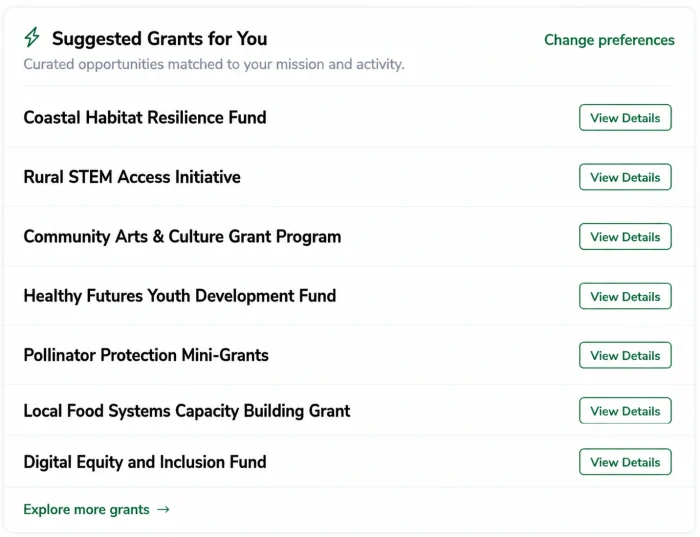
AI‑curated opportunities matched to your mission and activity.
Based on your preferences and behavior, GrantWatch recommends grants that align with your organization’s goals.
- View the full RFP
- Access 990 reports
- Track deadlines
- Add to your pipeline
- Apply
- Hire a grant writer
Each listing links to the full grant detail page, where you can:
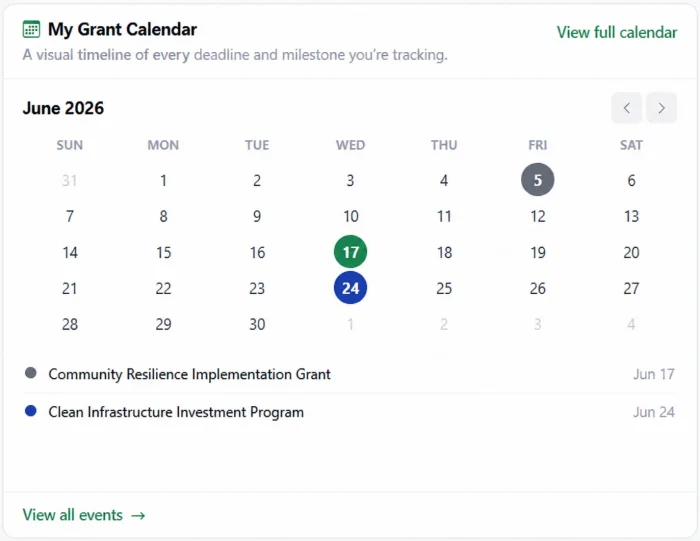
⭐ Core Box 2: My Grant Calendar
A visual timeline of every deadline and milestone you’re tracking.
Your calendar is your grant‑seeking roadmap. It shows upcoming deadlines, important dates, and reminders — all in one place.
Stop losing fifty‑thousand‑dollar grants to missed deadlines.
⭐ Core Box 3: Recently Viewed Grants
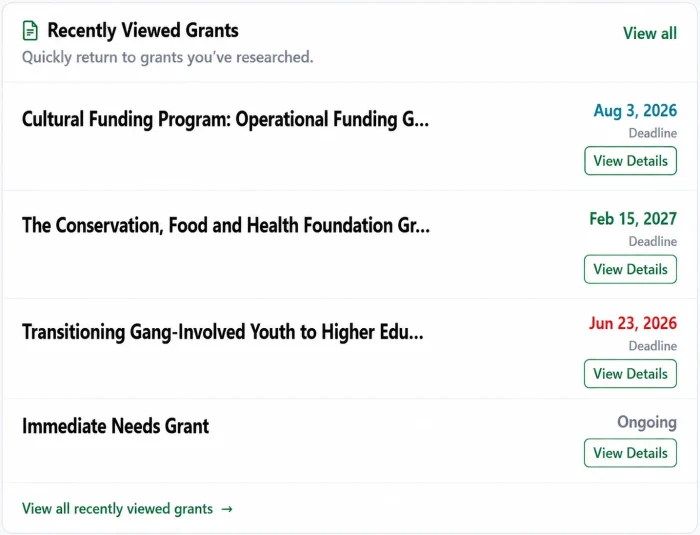
Quickly return to grants you’ve researched.
Your research history is saved here, making it easy to revisit opportunities you’ve explored.
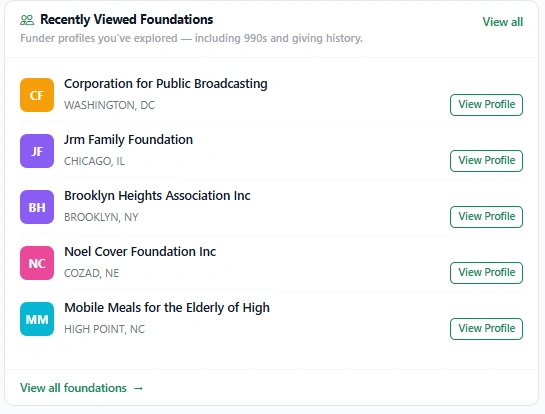
⭐ Core Box 4: Recently Viewed Foundations
Funder profiles you’ve explored — including 990s and giving history.
This section helps you understand the funders behind the grants. You can access:
- Foundation profiles
- Giving patterns
- 990 reports
These tools support funder alignment and proposal strategy.
⭐ Core Box 5: AI Grant Proposals in Progress
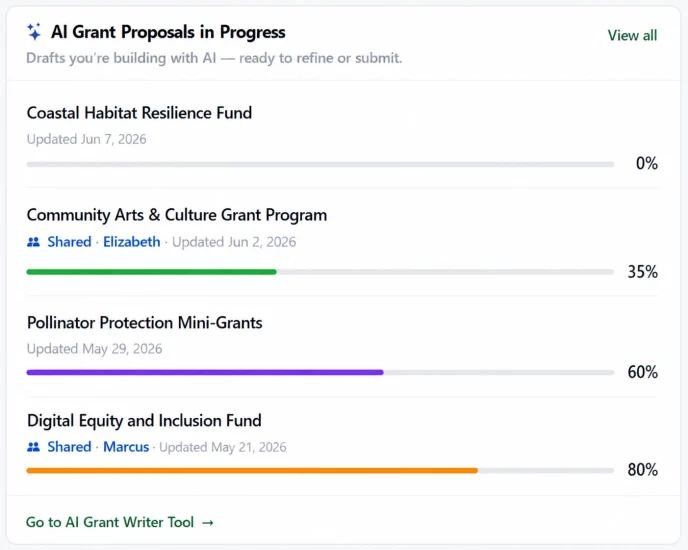
Drafts you’re building with AI — ready to refine or submit.
If you’ve started an AI‑generated proposal, it appears here. This section helps you keep track of your drafts and continue your work seamlessly.
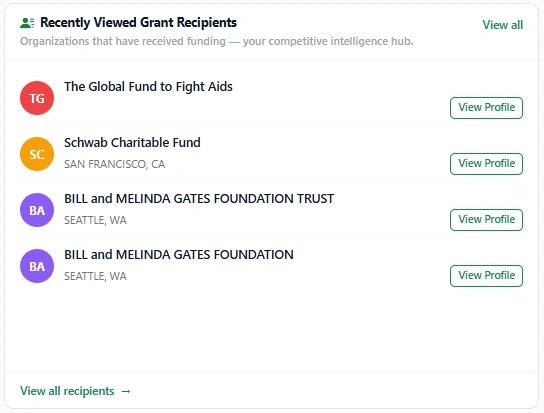
⭐ Core Box 6: Recently Viewed Grant Recipients
Organizations that have received funding — your competitive intelligence hub.
This section shows you who has been funded before. It’s a powerful way to understand what types of projects get funded and how your organization compares.
⭐ Why Organizations Rely on the New GrantWatch Dashboard
Successful grant seeking requires more than finding opportunities. It requires:
- Organization
- Research
- Deadline management
- Funding analysis
- Real‑time insights
- Personalized recommendations
The GrantWatch Dashboard brings all of this together in one place — helping organizations stay organized, improve efficiency, and increase win rates.
It is the command center for the earliest stages of your grant‑seeking strategy.
About GrantWatch
Trusted resource since 2010. For more than 16 years, GrantWatch has helped nonprofits, small businesses, schools, government agencies, and individuals discover funding opportunities and navigate the grant process with confidence. Thousands of organizations rely on GrantWatch’s extensive database of verified grants and funding resources to identify opportunities and secure support for meaningful projects.
Today, GrantWatch supports organizations across the full grant lifecycle through a single, streamlined platform. In addition to access to more than 11,000 active, verified, and human-curated grant opportunities, the platform includes a centralized Dashboard that serves as the command center for the GrantWatch Full Grant Lifecycle Platform, giving users a centralized view of opportunities, deadlines, research, and workflow activity across the 12-stage Grant Pipeline. Users also benefit from integrated tools including the AI Grant Finder, AI Grant Writing Tool, My Grant Calendar, Grant Alerts, Foundation Search, and Awarded Grant Search, helping move funding efforts from discovery to award and measurable impact.
GrantWatch was founded by Libby Hikind, author of The Queen of Grants series, including The Queen of Grants series: The Queen of Grants: From Teacher to Grant Writer to CEO and The Queen of Grants 2: GrantTalk Secrets for the New Era of Writing. Drawing on decades of experience in the grants industry, GrantWatch was created to simplify how organizations discover, evaluate, and pursue funding opportunities.

